-
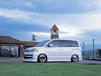
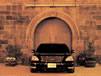
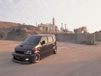
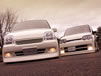
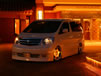
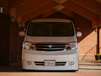
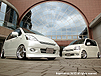
インスペクションギャラリー パソコンのデスクトップピクチャを無料でご利用頂けます。
お好みの解像度を選んでダウンロードして下さい 。
-
-
-
desk top picture
ダウンロード
800x600
1024x768
desk top picture
ダウンロード
800x600
1024x768
desk top picture
ダウンロード
800x600
1024x768
desk top picture
ダウンロード
800x600
1024x768
desk top picture
ダウンロード
800x600
1024x768
-

-
desk top picture
ダウンロード
800x600
1024x768
desk top picture
ダウンロード
800x600
1024x768
desk top picture
ダウンロード
800x600
1024x768
desk top picture
ダウンロード
800x600
1024x768
desk top picture
ダウンロード
800x600
1024x768
-

-
desk top picture
ダウンロード
800x600
1024x768
desk top picture
ダウンロード
800x600
1024x768
desk top picture
ダウンロード
800x600
1024x768
desk top picture
ダウンロード
800x600
1024x768
desk top picture
ダウンロード
800x600
1024x768
-

-
desk top picture
ダウンロード
800x600
1024x768
desk top picture
ダウンロード
800x600
1024x768
desk top picture
ダウンロード
800x600
1024x768
desk top picture
ダウンロード
800x600
1024x768
desk top picture
ダウンロード
800x600
1024x768
-

-
desk top picture
ダウンロード
800x600
1024x768
desk top picture
ダウンロード
800x600
1024x768
desk top picture
ダウンロード
800x600
1024x768
desk top picture
ダウンロード
800x600
1024x768
desk top picture
ダウンロード
800x600
1024x768
-

-
desk top picture exective
ダウンロード
800x600
1024x768
desk top picture exective
ダウンロード
800x600
1024x768
desk top picture exective
ダウンロード
800x600
1024x768
desk top picture exective
ダウンロード
800x600
1024x768
desk top picture exective
ダウンロード
800x600
1024x768
-

-
desk top picture exective
ダウンロード
800x600
1024x768
desk top picture exective
ダウンロード
800x600
1024x768
desk top picture exective
ダウンロード
800x600
1024x768
desk top picture juzu
ダウンロード
800x600
1024x768
desk top picture ek wagon
ダウンロード
800x600
1024x768
-

-
desk top picture ek wagon
ダウンロード
800x600
1024x768
desk top picture exective
ダウンロード
800x600
1024x768
desk top picture silhouette
ダウンロード
800x600
1024x768
desk top picture exective
ダウンロード
800x600
1024x768
desk top picture exective
ダウンロード
800x600
1024x768
-

-
desk top picture exective
ダウンロード
800x600
1024x768
desk top picture silhouette
ダウンロード
800x600
1024x768
desk top picture juzu
ダウンロード
800x600
1024x768
- - -

-
※ 別ウィンドウで画面が表示されますので、Windowsの方は右クリックで「画面に名前を付けて保存」を選び保存して下さい。
Macintoshの方はControlキーを押しながらクリックして、「画面に名前を付けて保存」を選び保存して下さい。
壁紙への設定に関しては、OSのマニュアルやヘルプ等をご覧下さい。
設定方法に関しての、お問い合わせは受け付けておりません。
 
-
-
Inspection © all rights reserved. TEL.042-532-3380